Live scoring and broadcast graphics for school sports
Keep the book.
Call the game.
Put it on air.
Most school streams have one person in the press box doing everything. StadiumCue is built for that person. Log each play in three taps on an iPad, and the scorebug, the stats, the lower thirds, and the fan page all update on their own. Get a play wrong, tap undo, and everything corrects.
79 seconds. Setup, scoring, graphics on air, and the fan page.
How it works
Friday night, start to final.
- Before kickoff
Set up once
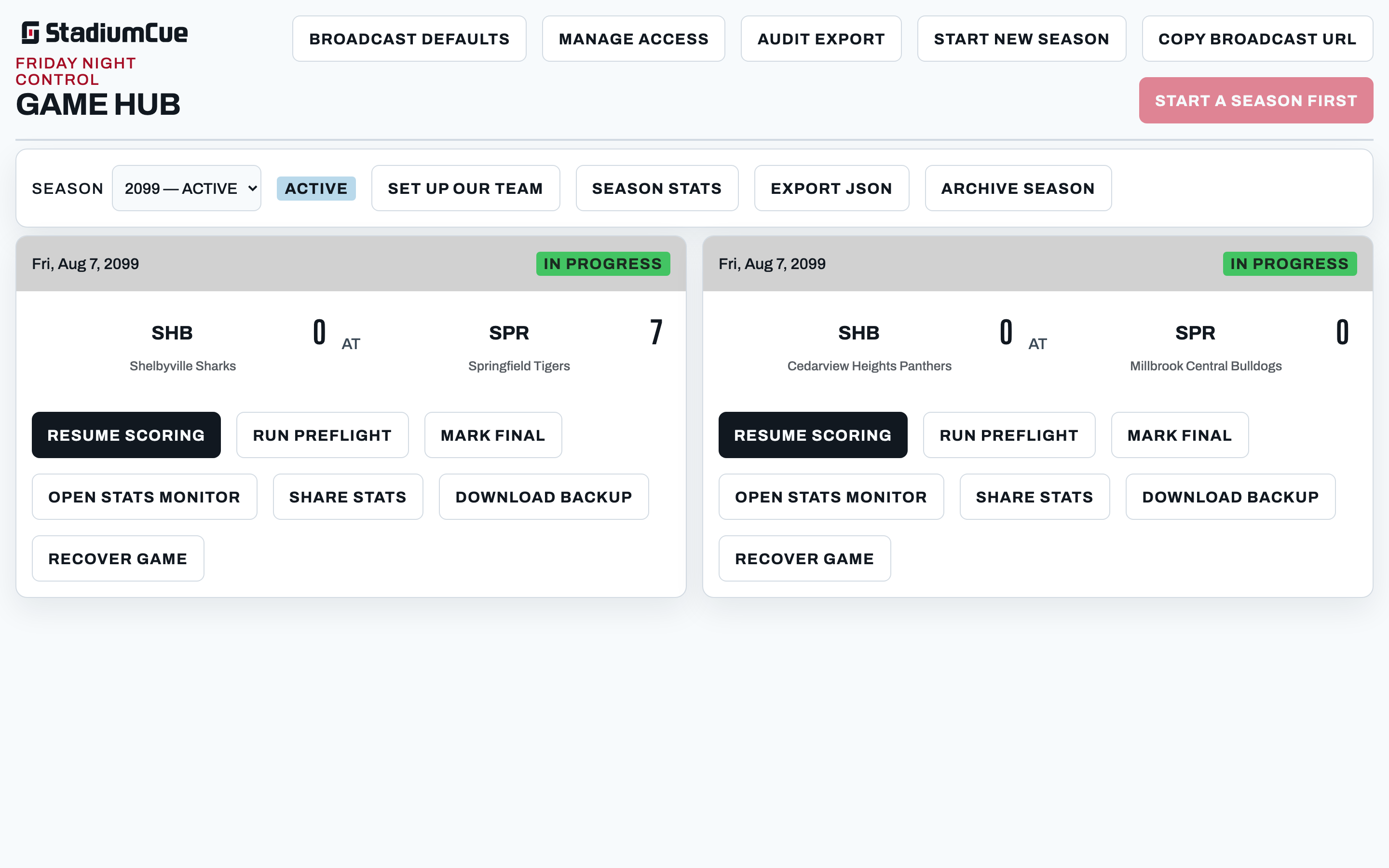
Save your colors, logo, and roster as a team profile. Create the game, then run preflight to prove the overlay is on your program output before the first snap.
- Every play
Three taps
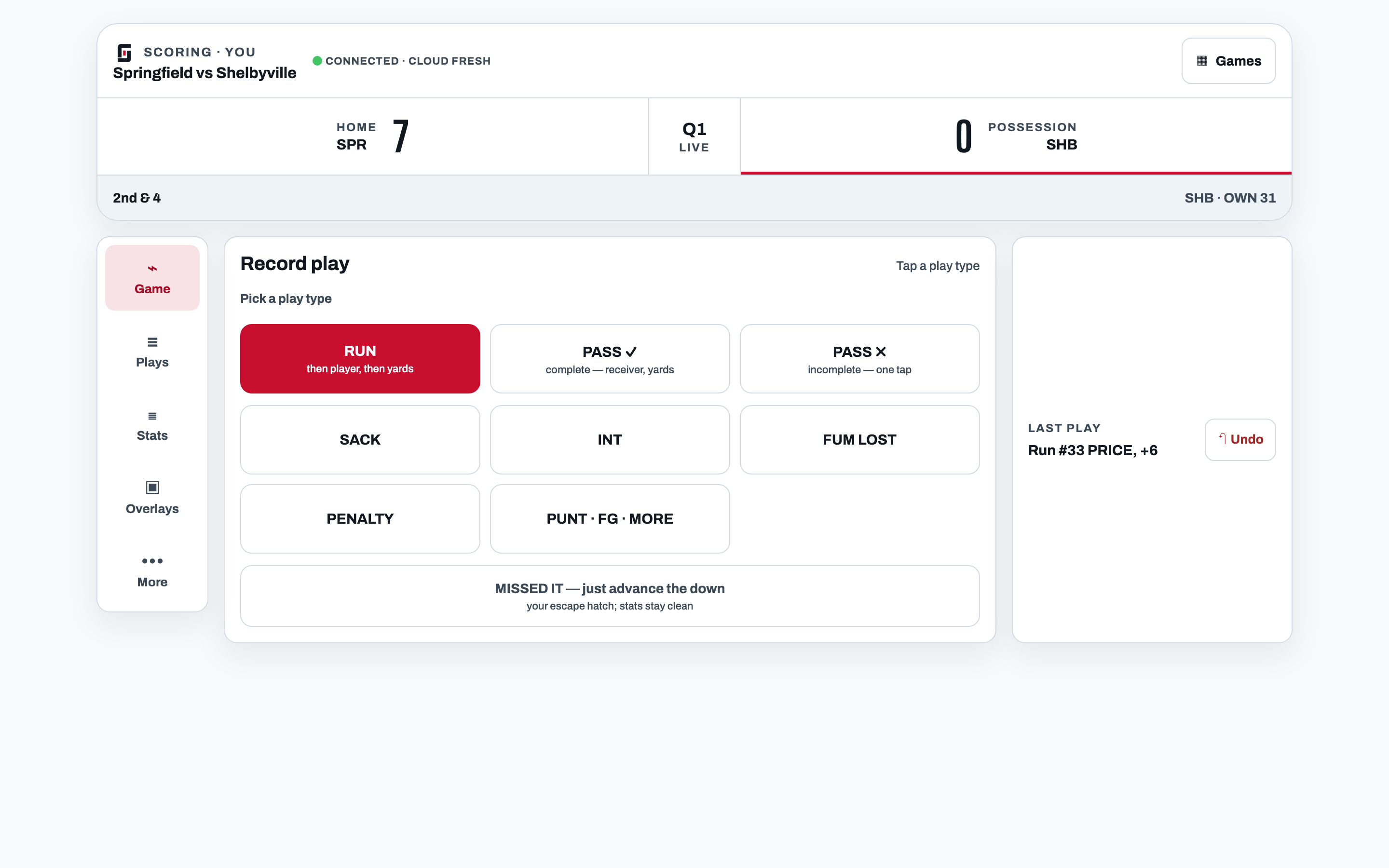
#22 takes the handoff to the 34. Tap Run, tap 22, tap the spot. Down, distance, possession, and the drive update before the next snap. Wrong player? Undo is one tap.
- When it matters
Cue the graphic
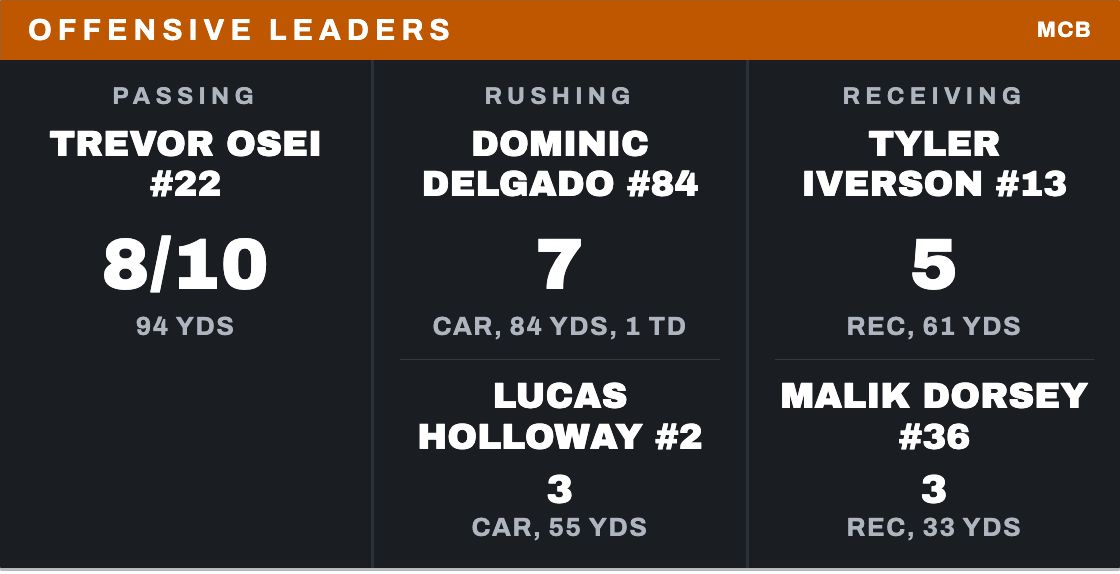
Tap Leaders, Drive, Team Stats, or a player spotlight and it goes on air, built from the plays you already logged. Halftime and final stats are ready without doing anything extra.
Tutorials
Learn it in an evening.
Three short videos take you from an empty season to graphics on air. Twelve and a half minutes total. Watch them on the support page or on YouTube.
- 3:09

Set up your season and first game
Create the season, save your team's colors and logo, paste in the roster, pin the starting quarterback, and schedule the first game.
- 5:11

Score a game live
Run preflight, log runs and passes, work through a touchdown and extra point, undo a mistake, fix an older play, and end the game.
- 4:07

Put graphics on air
The permanent overlay link, the graphic catalogue, player spotlights, sponsors, and how to clear everything back to a clean scorebug.
Works with
Works with the gear you already have.
StadiumCue's graphics are a transparent web page. Add it as a browser source or web overlay in the switcher or encoder you already run, and the scorebug and lower thirds sit right on top of your video. No capture card, no plug-in, no new hardware.
- OBS Studio
- vMix
- YoloBox
- Wirecast
- Streamlabs
- Ecamm Live
- Any browser source
Not sure about your setup? Ask us and we'll confirm fit before game night.

Features
Score it once.
You never type a graphic and you never retype a stat. The play log is the one record, and everything on screen is read from it.
The stats come from the plays.
No second person typing numbers. Every stat on air, on the fan page, and in the box score is the same number, because it is the same play.
Fix the play, everything fixes.
Undo the last play, or edit any play in the log. The score, the stats, and the graphics recalculate from the corrected log.
Halftime and final take care of themselves.
Halftime stats, the FINAL scorebug, the closing stats board, and a drive-by-drive game summary are ready when you want them.
Your colors, your logo, your roster.
Save them once as a team profile. Every graphic uses them.
One sponsor can pay for the season.
A sponsor logo rotates in the corner of the scorebug and sits in the header of the graphics you choose.
A page for the stands.
Live stats, season totals, results, and the roster at one link parents can open from the bleachers.
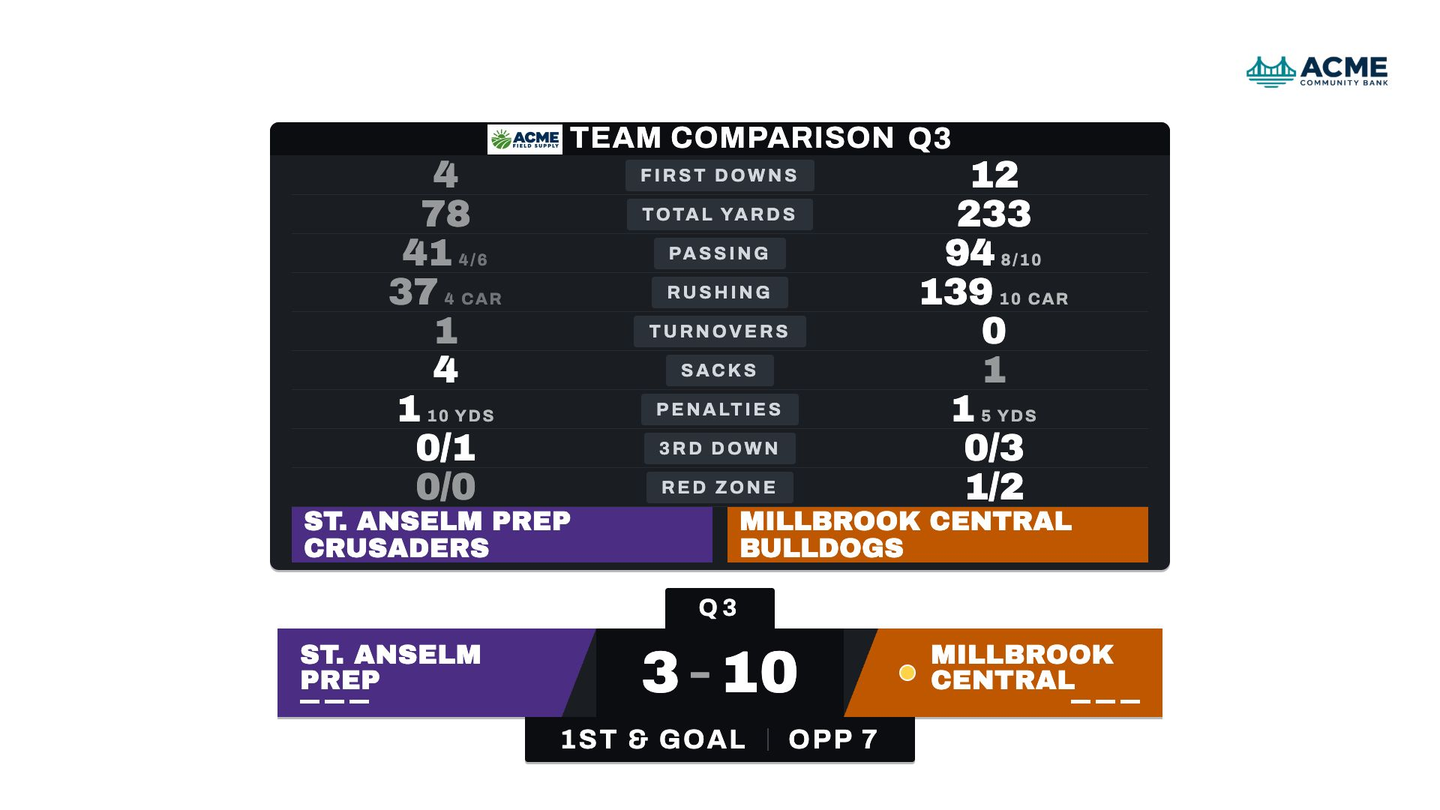
A Wings broadcast with a sponsor logo in the corner and a sponsored graphic header.
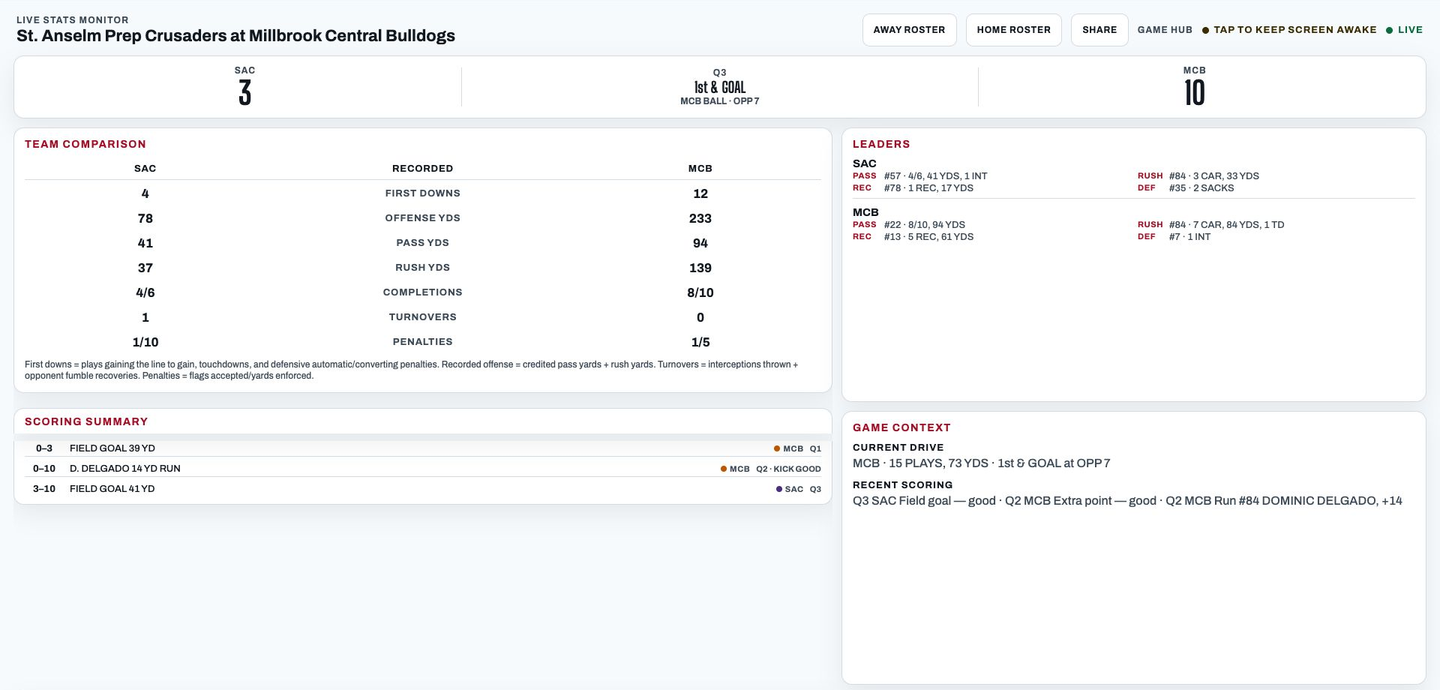
Live game stats, season totals, and results at one link.
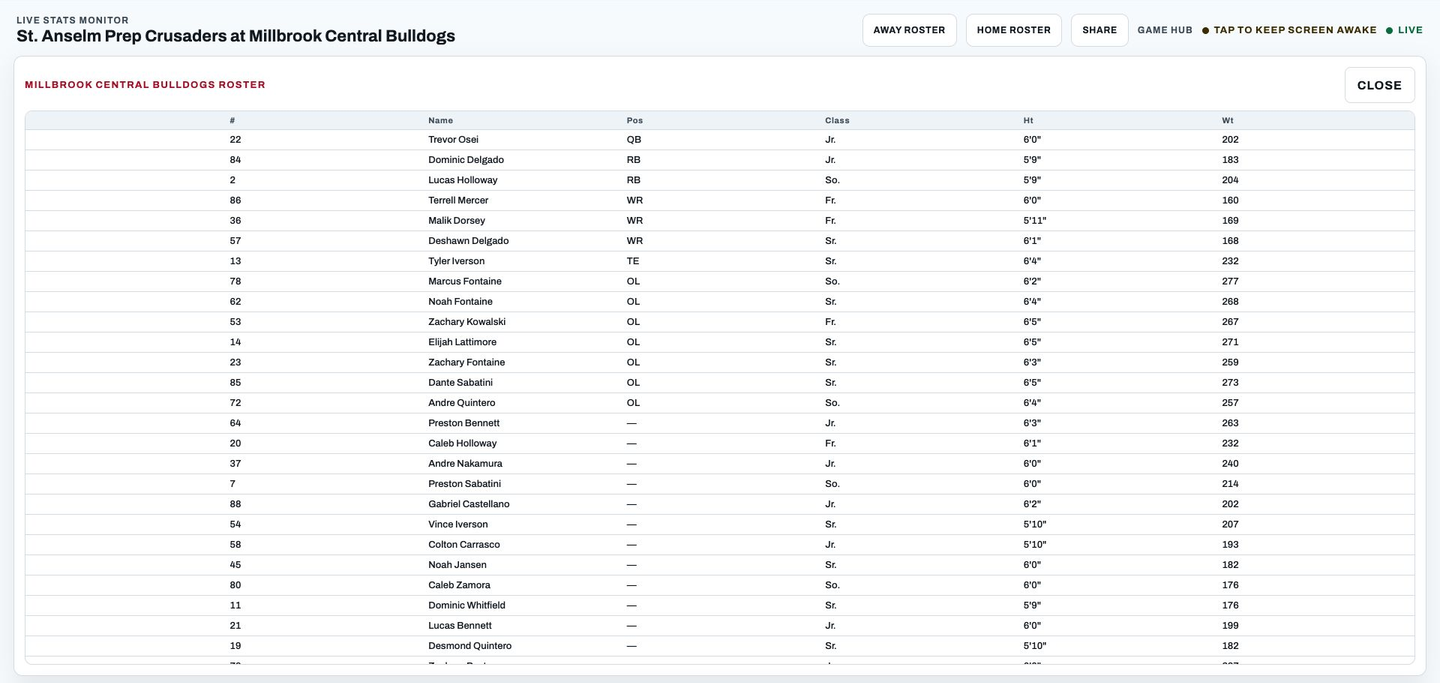
A roster page anyone can open from the bleachers.
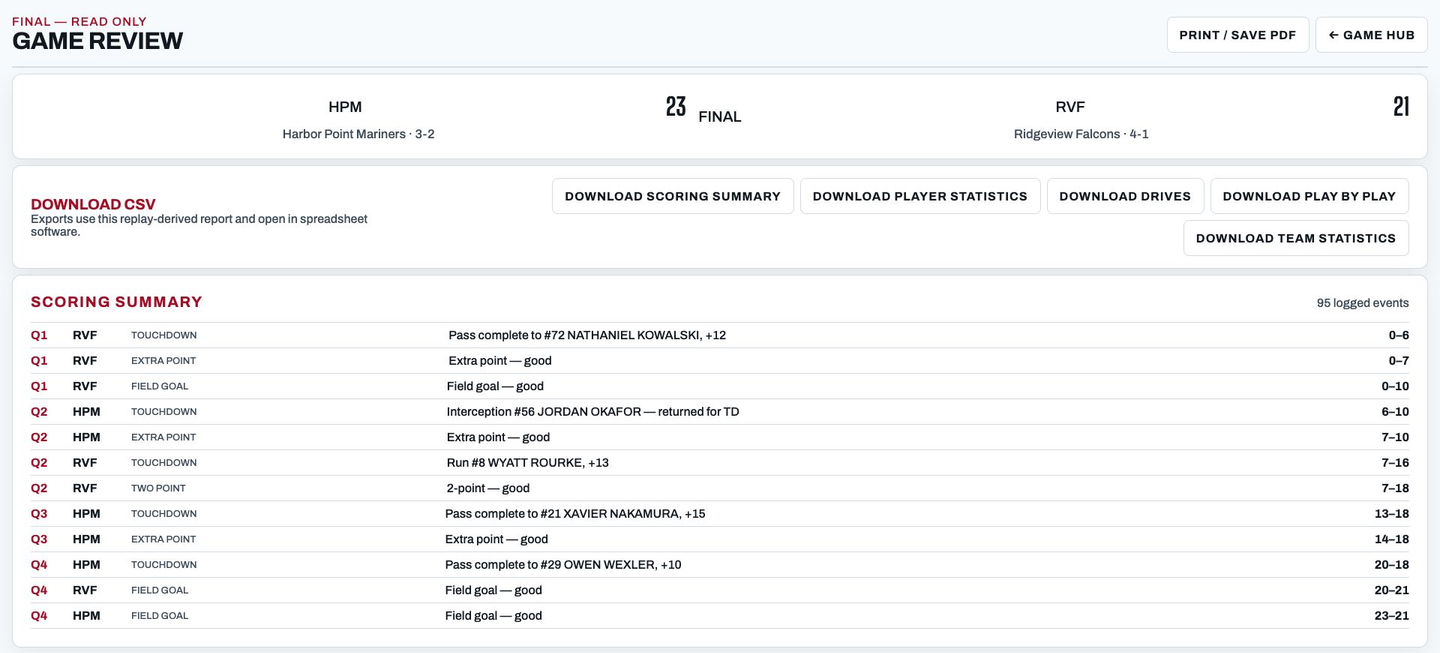
Scoring, player, drive, and play-by-play details, with CSV export.
Fictional teams and sponsors shown for demonstration.
Founding schools
The whole product, for a season.
I built StadiumCue to run my own high school's stream, and it has called our games live this season. The first schools on it get everything it does for one season and one broadcast, plus a direct line to me when something needs fixing. No per-game or per-volunteer fees.
- Live scoring with undo and play log editing
- Scorebug and lower thirds in your colors
- Halftime, final, and game summary graphics
- Fan Hub live stats page and public roster
- Post-game reports and CSV exports
- Three setup videos, preflight, and email support on game night
FAQ
Before game night.
Help for setup and game night: Getting started · Watch the tutorials · Contact support
Can one person run it while announcing?
That is who it is built for. One scorer logs each play in three taps, and the game record drives the score, the stats, and every graphic. The person keeping the book keeps calling the game.
Will it work with our broadcast equipment?
The graphics are a transparent web page, so they work with OBS Studio, vMix, YoloBox, Wirecast, Streamlabs, Ecamm Live, and nearly any switcher or encoder that can show a web page as an overlay. Not sure about yours? Ask us and we'll confirm fit before game night.
How long does it take to learn?
About an evening. Three tutorial videos, twelve and a half minutes in total, walk through setup, scoring a game, and putting graphics on air. Guided Setup adds two live sessions with us if you want them.
What if we get a play wrong?
Tap undo for the last play. For something further back, edit the play log. Either way the score, the stats, and the graphics recalculate from the corrected log.
Can we use our school's colors and logo?
Save a team profile with your colors, logo, and roster once. Every graphic uses it.
Can parents and fans follow the stats live?
Share the Fan Hub link. It follows the game as it develops, with leaders, team comparison, scoring, and drives, plus season totals and the roster.
Who else can help on game night?
Invite scorers by Google account. One person scores a given game at a time, and any member can set up games, run preflight, or take over between games. A second person can cue graphics from a phone through the Live Stats Monitor while you keep scoring.
Do we need internet at the game?
Plan on it for the broadcast and the fan page. If the press-box WiFi drops mid-drive, the control panel keeps taking plays and catches up when it reconnects, and it shows you the connection state the whole time.
Does StadiumCue stream the video?
No. Your existing streaming setup sends the video. StadiumCue adds the scoring, the stats, and the graphics on top.
What doesn't it do?
It doesn't stream video or track tackles. A synced game clock is built into the scorebug — turn it on and run it from a phone, no separate hardware needed. Defensive stats cover sacks, interceptions, and fumble recoveries.
What sports does StadiumCue support?
Football, today. Nothing else is promised yet.
Request a demo
Let's see how StadiumCue fits your broadcast.
Tell us about your school and what you stream with today. We'll walk through scoring, graphics, and the fan page for your game night.